
LESSON 01
PROJECT WATCH
BUILD 1.77.0
WATCH ONE
01
TRAINING MODULE
Collision Scenarios
Scenario briefing, guided watch, simulator and debrief.
MODULE WORKSPACE
LIBRARY › COLREGS
COLREGs
International Regulations for Preventing Collisions at Sea
A complete, structured Project Watch guide to all 41 COLREG rules. Learn the principles, understand the detail and move directly into the practical training tools.
41 RULESCOMPLETE COVERAGE
PLAIN ENGLISHGUIDED EXPLANATIONS
REAL EXAMPLESVISUAL TRAINING
PRACTICAL FOCUSBUILT FOR THE WATCH
FIRST TIME USING THE COLREGS?Learn how the rulebook works before memorising rule numbers.7 short lessons • plain English • spoken guidance • knowledge check
Browse by Part
Select a COLREG section below or view the complete rule map.
ALL RULES1–41
PART AGeneral • 1–3
PART BSteering & Sailing • 4–19
PART CLights & Shapes • 20–31
PART DSound & Light Signals • 32–37
PART E / F38–41
Rule 1 • ApplicationPart A
Rule 2 • ResponsibilityPart A
Rule 3 • General definitionsPart A
Rule 4 • ApplicationPart B • Any visibility
Rule 5 • Look-outPart B • Any visibility
Rule 6 • Safe speedPart B • Any visibility
Rule 7 • Risk of collisionPart B • Any visibility
Rule 8 • Action to avoid collisionPart B • Any visibility
Rule 9 • Narrow channelsPart B • Any visibility
Rule 10 • Traffic separation schemesPart B • Any visibility
Rule 11 • ApplicationPart B • In sight
Rule 12 • Sailing vesselsPart B • In sight
Rule 13 • OvertakingPart B • In sight
Rule 14 • Head-on situationPart B • In sight
Rule 15 • Crossing situationPart B • In sight
Rule 16 • Action by give-way vesselPart B • In sight
Rule 17 • Action by stand-on vesselPart B • In sight
Rule 18 • Responsibilities between vesselsPart B • In sight
Rule 19 • Conduct in restricted visibilityPart B • Restricted visibility
Rule 20 • ApplicationPart C
Rule 21 • DefinitionsPart C
Rule 22 • Visibility of lightsPart C
Rule 23 • Power-driven vessels underwayPart C
Rule 24 • Towing and pushingPart C
Rule 25 • Sailing vessels underway and vessels under oarsPart C
Rule 26 • Fishing vesselsPart C
Rule 27 • NUC and RAM vesselsPart C
Rule 28 • Vessels constrained by draughtPart C
Rule 29 • Pilot vesselsPart C
Rule 30 • Anchored vessels and vessels agroundPart C
Rule 31 • SeaplanesPart C
Rule 32 • DefinitionsPart D
Rule 33 • Equipment for sound signalsPart D
Rule 34 • Manoeuvring and warning signalsPart D
Rule 35 • Sound signals in restricted visibilityPart D
Rule 36 • Signals to attract attentionPart D
Rule 37 • Distress signalsPart D
Rule 38 • ExemptionsPart E
Rule 39 • DefinitionsPart F
Rule 40 • ApplicationPart F
Rule 41 • Verification of compliancePart F
COLREGS • TECHNICAL ANNEXES
Four Annexes
The Rules tell you what to do; the Annexes provide the technical detail behind lights, shapes, fishing signals, sound appliances and distress signals.

ANNEX I • LIGHT POSITIONING ON A REAL VESSEL
FORWARD MASTHEAD
AFT MASTHEAD • HIGHER
STARBOARD SIDELIGHT
›
Annex I • Lights & Shapes
PositioningSectorsShapes
Technical positioning, spacing, colour, intensity and screening requirements.

ANNEX II • FISHING VESSELS IN CLOSE PROXIMITY
TRAWLING SIGNAL REFERENCE
FISHING OTHER THAN TRAWLING
›
Annex II • Fishing Signals
TrawlingPurse seineClose proximity
Additional signals for fishing vessels working close to one another.
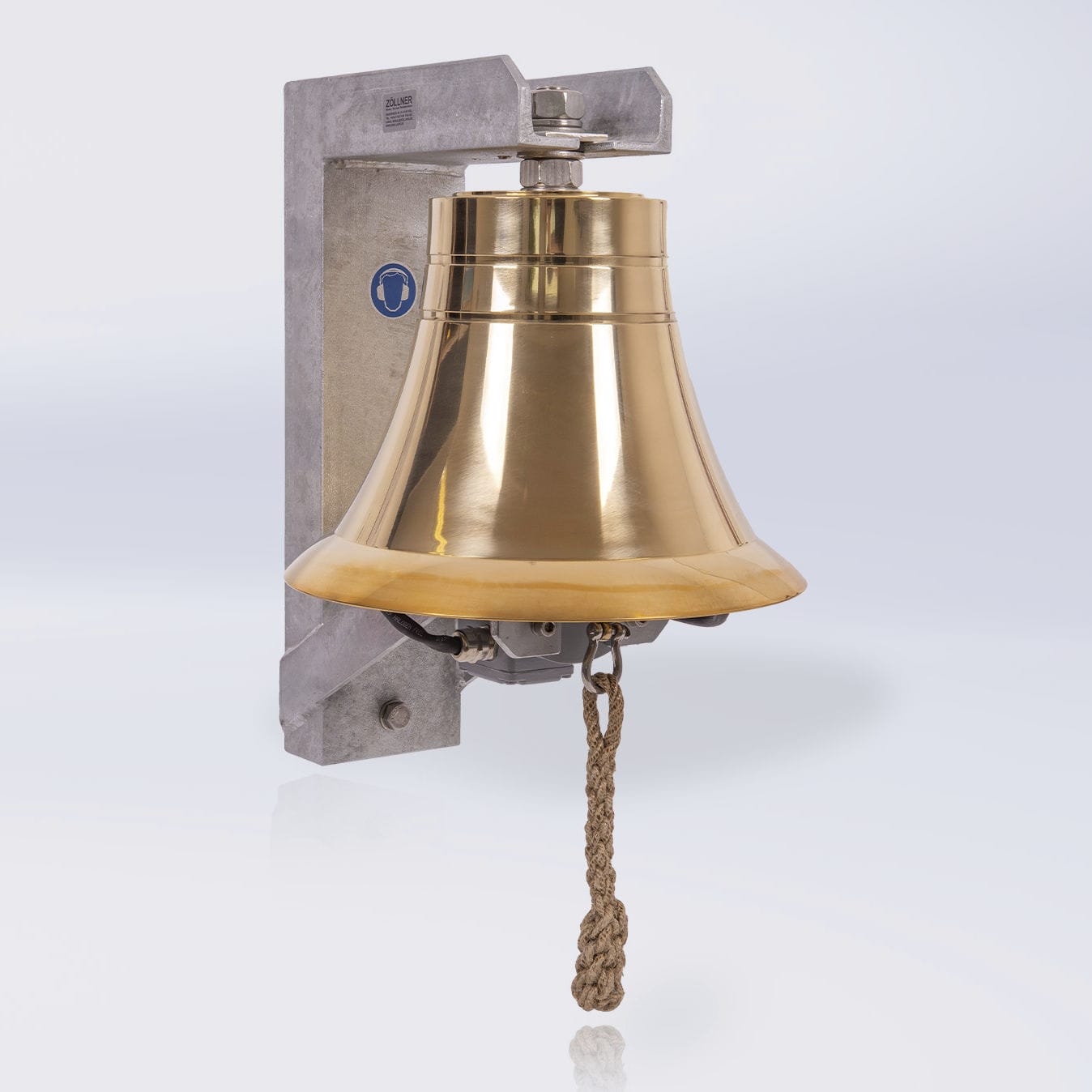
ANNEX III • REAL SOUND-SIGNAL APPLIANCES
›
Annex III • Sound Appliances
WhistleBellGong
Technical characteristics and installation of sound-signal appliances.
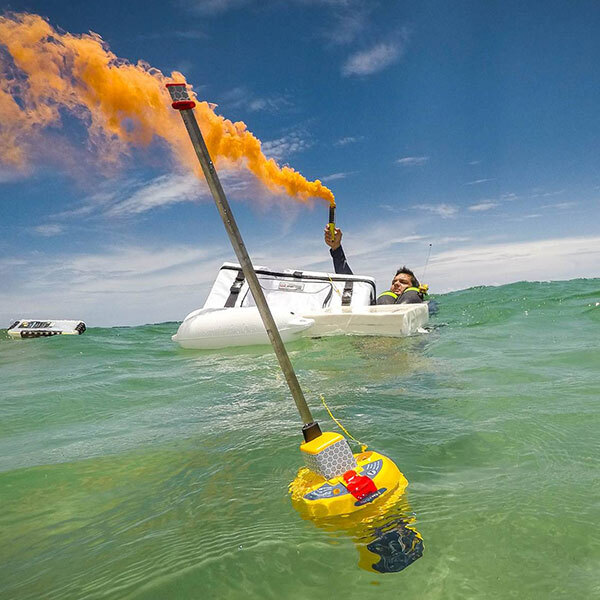
ANNEX IV • DISTRESS EQUIPMENT IN THE REAL WORLD
ORANGE SMOKE
EPIRB
SOS · MAYDAY · DSC
›
Annex IV • Distress Signals
MAYDAYFlaresEPIRB
Internationally recognised distress signals and alerts.
PROJECT WATCH • LIGHTS & SHAPES • APPROVED VISUAL STANDARD
Lights & Shapes
MASTER VISUAL STANDARD: The Lights & Shapes reference now uses Approved Master Library 03 throughout. Night recognition is lights-only on black; day recognition uses high-contrast black shapes on a light field. The complete verified set covers Rules 21–31 plus the relevant Annex I / II displays, including towing and pushing, fishing, NUC/RAM, constrained by draught, pilot, anchor/aground, dredging and underwater operations, diving and mine-clearance.
66 APPROVED CARDS48 NIGHT DISPLAYS18 DAY DISPLAYSLIBRARY 03 SOURCE OF TRUTH
COMPLETE RECOGNITION LIBRARY
Study the exact visual standard used across Project Watch
Filter by Rule or vessel family. These are the same approved recognition graphics used by the Stage 3 teaching and assessment system.
SUPPLEMENTARY PRACTICE
Aspect trainer
The interactive trainer now uses the same Approved Master Library 03 visual language as the reference cards above: lights only on black at night, black day shapes on a clean light field, with aspect used only to determine which prescribed navigation lights are visible.
PROJECT WATCH • LOCKED MASTER VISUAL STANDARD • LIBRARY 03
Complete Lights & Shapes Master Library
This is the approved Project Watch visual source of truth. Stage 3 teaching and its recognition check draw directly from these same cards.
BEGINNER COURSE • COLREG PART C • RULES 20–31
Learn to read a vessel before you meet it.
Lights at night and black shapes by day tell you what a vessel is, what it is doing and whether its ability to manoeuvre may be limited. This course teaches the recognition system using the locked Master Library 03 cards before you use the full bridge trainer.
STAGE 3 COURSE6 LESSONSLIGHTS • SHAPES • STATUS
NEW TO THE WORDS? Lesson 1 now teaches beam, abaft, apex, aspect, all-round light and making way before they are used later in Stage 3.
STAGE 3 PROGRESS0 / 6 LESSONS
FINAL CHECK • UNLOCKS AFTER LESSON 6
Stage 3 knowledge check
This is the final part of Stage 3, not another lesson. Complete all six teaching lessons first, then answer 10 recognition questions based only on what Project Watch has just taught. You need 8/10 to complete Stage 3.
TEACHING IN PROGRESS
0 / 6 lessons completed. Work through Lessons 1–6 above to unlock the final check.
0 / 6 lessons completed. Work through Lessons 1–6 above to unlock the final check.
PROJECT WATCH • COLREG PART C • RULES 20–31
Lights & Shapes Full Mock Examination
Original Project Watch assessment built around the exact vessel displays taught by this platform. It tests night-light recognition, viewing aspect, day shapes and the underlying Rule 20–31 knowledge. No RYA examination material is reproduced.
FULL MOCK45 QUESTIONSVISUAL + KNOWLEDGE
SCOPEEvery vessel/display family in the Project Watch Lights & Shapes trainer
VISUAL ENGINEUses the same bridge-view renderer as the training module
STANDARDProject Watch mock assessment • 90% pass • no critical error
STATUSIndependent training assessment • not RYA/MCA certification
Full Lights & Shapes Mock
The exam includes night displays from different aspects, daytime shapes, towing/pushing, fishing, NUC, RAM, constrained-by-draught, pilot, anchor/aground, dredging/diving and mine-clearance recognition.
Assessment basis: COLREG Part C Rules 20–31 and the vessel/display set already taught in Project Watch. Current MCA oral-examination guidance requires candidates to recognise lights and shapes for all classes of vessel. The questions, answer choices and diagrams in this exam are original Project Watch material.
STAGE 4 • COLREGS PART D • RULES 32–37
Sound Signals
Learn the signal, hear the real timing pattern, recognise it without a visual clue, then prove it in the 10-question final check. Every teaching card and exam question is backed by the Master Sound Library.
PROJECT WATCH • MASTER SOUND STANDARD • LIBRARY 04
Complete Sound Signals Master Library
One source of truth for Stage 4 teaching, playback and assessment. Tap PLAY to hear the approved training timing.
APPROVED SOUND ENGINE
Audio Lab
Short = about 1 second. Prolonged = 4–6 seconds; Project Watch uses 4.5 seconds.
Large ship profile • deep marine-whistle training tone.
One short blast
About 1 second.
One prolonged blast
4.5 seconds in this trainer.
Five short rapid
Danger / doubt.
Rapid bell
About 5 seconds.
Rapid gong
About 5 seconds.
AUDIO STATUS
Tap any sound to unlock audio on iPad/Safari.
RULE 34 • IN SIGHT OF ONE ANOTHER
Manoeuvring & warning signals
RULE 35 • IN OR NEAR RESTRICTED VISIBILITY
Restricted visibility
RULE 36 / RULE 37 • ANNEX IV
Attention & distress
Rule 36 allows attention signals that cannot be mistaken for an authorised signal. Rule 37 points to Annex IV distress signals.
PROJECT WATCH • AIS TARGET TRAINER
Learn to read the AIS picture.
A simulated chartplotter workspace for understanding AIS targets, vessel information, course and heading, speed, closest approach, time to closest approach, dangerous-target warnings and lost/stale data. All vessels and positions are fictional.
TRAINING ENGINELIVE AISSIMULATED DATA ONLY
AIS IS AN AID — NOT A SUBSTITUTE FOR LOOKOUT.
Use sight, hearing, radar where fitted and all other appropriate means. AIS information can be incomplete, manually entered, delayed or wrong.
STAGE 8 • GUIDED LEARNING
AIS & Electronic Situational Awareness
Learn what AIS can tell you, what it cannot tell you, and how to use the electronic picture without allowing it to replace lookout, radar or COLREG judgement.
LESSONS REVIEWED0 / 6
LESSON 1 / 6
What AIS actually is
OWN SHIPWATCH ONE
COG012°
SOG7.0 kn
TARGETS8
ALARMCLEAR
DYNAMIC DATA
What changes automatically?
Position, speed over ground, course over ground and—in equipment that supplies it—heading. Class A reports also include navigational status and rate of turn.
STATIC / VOYAGE DATA
What may be manually entered?
Vessel name, call sign, dimensions and type are static data. Class A voyage fields can include draught, destination and ETA, so do not assume every manually entered value is current.
COURSE vs HEADING
Two different numbers.
COG is the direction the vessel is moving over the ground. Heading is where the bow points. Tide, current or leeway can make them differ.
CPA / TCPA
Prediction, not permission.
CPA and TCPA are calculated predictions based on the present motion of both vessels. They support collision assessment; they do not replace COLREG judgement or lookout.
CLASS A / CLASS B
Do not expect identical data.
Class B normally transmits a reduced information set compared with Class A and may update less frequently. Missing voyage fields on a Class B target are not automatically a fault.
LOST TARGET
Old information becomes dangerous.
If transmissions stop, the displayed position can become stale. Treat a lost AIS target as an information warning—not proof that the vessel disappeared.
COLREG RULE 10 • MCA MGN 364 (M+F) AMENDMENT 2
TSS Training • Vessels under 20 metres
Training vessel: Watch One • 14.2 m • power-driven. This beginner module is written for recreational vessels under 20 m. Rule 10(j) therefore applies throughout: do not impede the safe passage of a power-driven vessel following a traffic lane. Learn the geometry first, then apply it under traffic pressure. The locked collision engine remains untouched.
HEADING, NOT COG
Correct crossing with tidal set
The vessel's heading is as nearly as practicable at right angles to traffic flow. Tide may visibly skew the track/course over ground.
COMMON ERROR
Incorrect diagonal heading
A deliberately diagonal heading makes the crossing intention less clear and does not satisfy the right-angle-heading requirement merely because the vessel eventually reaches the other side.
JOIN / LEAVE
Do not confuse crossing with joining
When joining or leaving a lane from the side, do so at as small an angle to the general direction of traffic flow as practicable. This is different from crossing, where the heading should be as nearly as practicable at right angles to traffic flow.
RULE 10 • VISUAL GEOMETRY TRAINER
Bridge-display TSS crossing
Compare the geometry visually. Green ticks identify correct Rule 10 geometry; red crosses identify deliberately incorrect training examples.
✓ CORRECT — right-angle crossing heading
Heading and track coincide: the vessel crosses the traffic flow at right angles.
OWN HDG345°
OWN COG345°
GEOMETRY90°
MODETEXTBOOK
✓ correct geometry✕ incorrect geometry⊥ crossing∠ shallow join/leave
RULE 10 RECOGNITION
Question
RULE 10 • UNDER-20 m LIVE MULTI-TARGET TRAINER
Live TSS Watch • Small recreational vessel
Training vessel: Watch One, 14.2 m. Assess the traffic first and do not impede a power-driven vessel following a lane. When a safe crossing develops, cross the complete scheme on the Rule 10(c) heading while continuing to apply the other COLREGs. This simulator remains separate from the locked collision-scenario engine.
HEADING000°
COG000°
SPEED7.0 kn
ANGLE90°
MIN CPA--
STATUSREADY
Select a scenario, then commit to the crossing.
PROJECT WATCH • COLREG RULE 10 • UNDER-20 m
Traffic Separation Scheme Full Mock Examination
You are assessed as skipper of Watch One, a 14.2 m power-driven recreational vessel. The exam tests the exact Rule 10 material taught in Project Watch: under-20 m responsibilities, ITZ use, crossing geometry, heading versus COG, joining/leaving, separation zones, lane use and collision-rule interaction.
FULL MOCK30 QUESTIONSKNOWLEDGE • VISUAL • DECISION
TRAINING VESSELWatch One • 14.2 m • power-driven
RULE FOCUSRule 10(a)–(j) + other applicable COLREGs
STANDARDProject Watch mock • 90% • no critical error
STATUSIndependent training assessment • not RYA/MCA certification
Full TSS Mock
The assessment mixes Rule 10 knowledge with the same chart/bridge geometry used in the Project Watch tutorial. Answers and reasoning remain hidden until submission.
PRACTICAL ASSESSMENT • EXISTING LIVE TSS WATCH
Take the watch after the written mock.
Launch one of the existing live scenarios directly from the examination centre. The simulator remains the same validated TSS engine already used in training.
Assessment basis: Original Project Watch questions derived from the Rule 10 material already taught in this application. The mock does not reproduce RYA examination material and does not confer an MCA or RYA qualification.
RULE 10 • BEGINNER COURSE • VESSELS UNDER 20 m
TSS training for the small recreational vessel.
You are in command of Watch One, a 14.2 m power-driven vessel. Every lesson is taught from the under-20-metre viewpoint: plan early, avoid impeding lane traffic, use the ITZ where Rule 10(d) permits, and if obliged to cross, use the correct Rule 10(c) heading.
COURSE9 LESSONSLEARN → WATCH → DECIDE
LESSON 1 / 9
GUIDED DEMOREADY
CAPTAIN'S EXPLANATION
STAGE 7 • TRAFFIC SEPARATION SCHEMES • RULE 10
Stage 7 Final Knowledge Check
Ten questions drawn from the Rule 10 material you have just learned. Pass mark: 8/10. The optional 30-question TSS full mock remains available afterwards for deeper practice.
PROJECT WATCH • MARINE TRAINING
Learn the skills.
Take the watch.
Build confidence on the water. Explore clear, visual courses in navigation, safety and boat knowledge.
Choose your training
9 TRAINING PATHWAYS
GUIDED LESSONS
LIVE PRACTICE
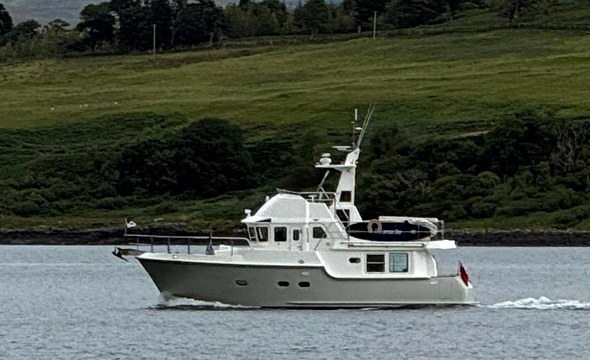
TRAINING VESSEL
WATCH ONE
Nordhavn 43
EXPLORE YOUR WAY
Find your next step.
Follow a course, or go straight to the tools you need.
CHOOSE YOUR TRAINING
Choose your next subject
Open a course to see its lessons and your progress.
On the horizon Future seamanship subjects
FUTURE TRAINING • IN DEVELOPMENT
More seamanship subjects are planned
These are roadmap subjects, not live courses yet. Existing pathways and their progress are unaffected.
Advanced navigationWeather & forecastingSea survival & first aidVHF & communicationPractical procedures
PROJECT WATCH • RECREATIONAL BOATING
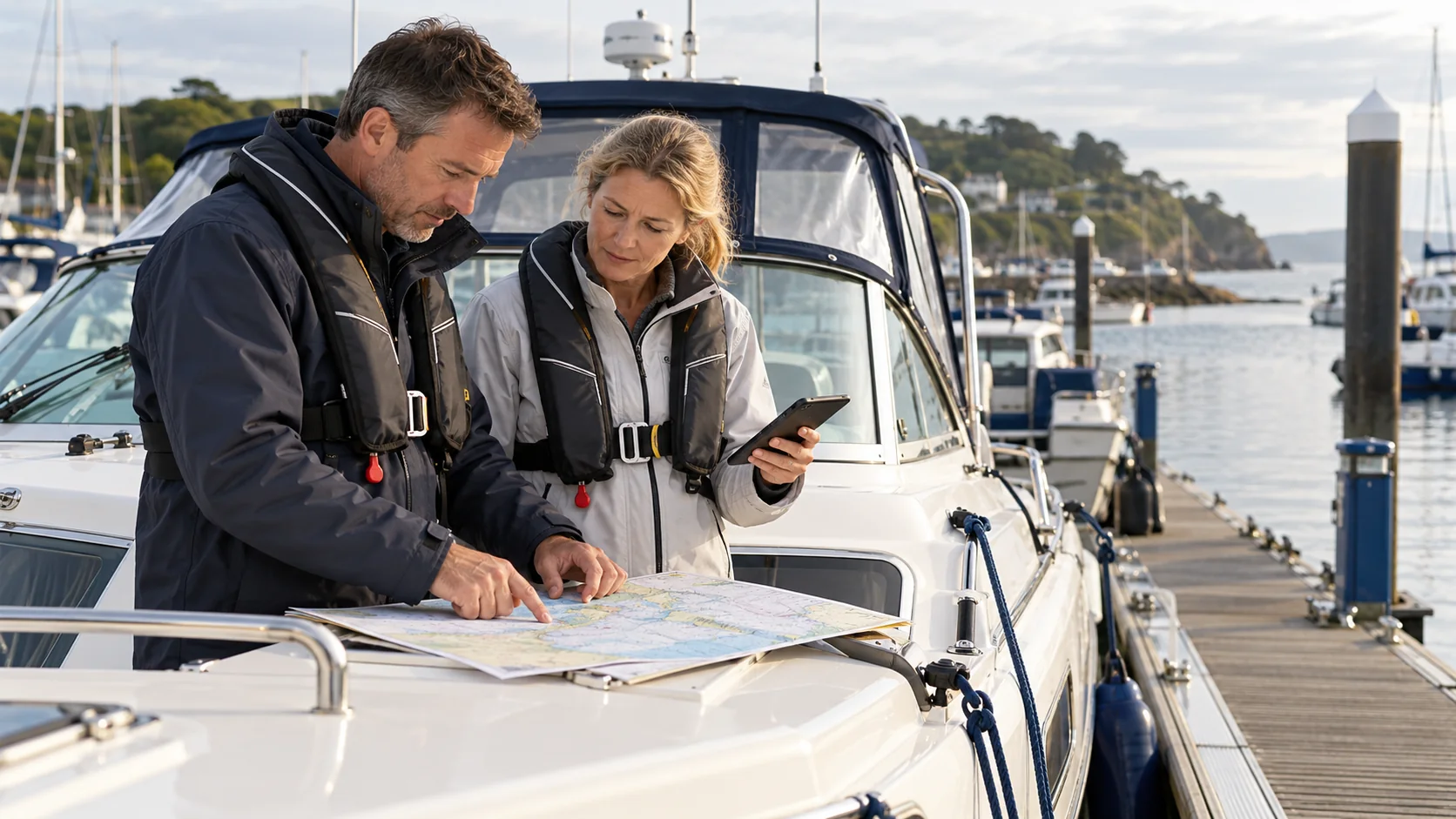
Safety Awareness at Sea
Recognise hazards, make safer choices and brief everyone aboard before conditions change. Practical safety decisions for pleasure boats.
0 / 6 LESSONS REVIEWED
Training scope
Independent practice for recreational boating; it does not award an RYA or MCA certificate. Sea survival, first aid and VHF operation need their own practical training.
Sources and image credits
Safety references and image credits for this independent course:
Lesson scenes: original AI-generated Project Watch illustrations. Quiz photographs: Wikimedia Commons contributors Snyder261, US Coast Guard / Crystalynn A. Kneen and Ypsilon (CC0 or public domain). See the source and artwork record in the project repository for individual file details.
PROJECT WATCH • RECREATIONAL NAVIGATION
Tides, Heights & Streams
See how the water rises and moves. Read the prediction, calculate a depth margin and plan a passage around the stream.
0 / 8 LESSONS REVIEWED
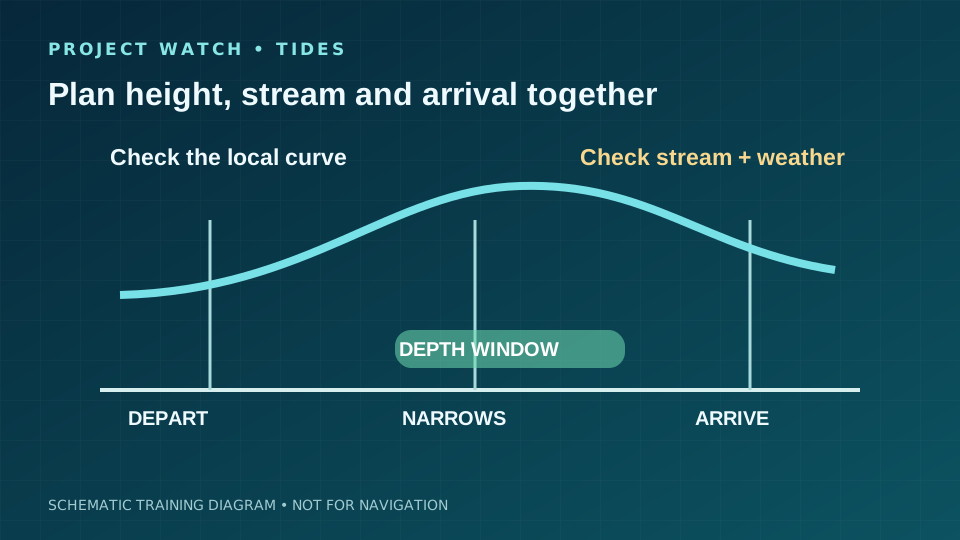
Training diagrams and fictional numbers. These are not live tide predictions, charts or a passage plan. For navigation, use current official local data, chart information, harbour guidance, weather and an appropriate safety margin.
Primary references and artwork
Teaching checked against UKHO, Met Office and RNLI guidance. All eight diagrams are original Project Watch SVG files in assets/tides/; they contain schematic training data only.
PROJECT WATCH • RECREATIONAL BOATING
Boat Systems & Stability
Understand the boat beneath your feet. Spot changes early, protect the crew and use the actual vessel’s limits and procedures.
0 / 8 LESSONS REVIEWED
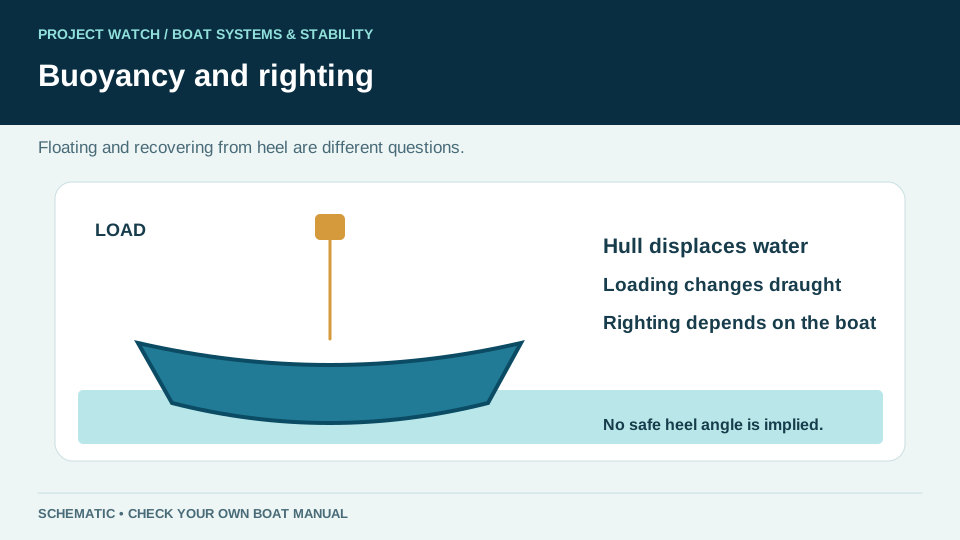
Independent recreational training. Diagrams explain principles, not the stability characteristics or safe loading of a particular boat. Use your builder’s manual, fitted equipment instructions and a competent marine professional for boat-specific limits or repairs.
Guidance and artwork
Lesson principles are based on RYA safety and maintenance guidance. These original Project Watch diagrams are separate SVG files. This course does not award an RYA or MCA qualification.
PROJECT WATCH • RECREATIONAL NAVIGATION
Understanding Compass
Learn the compass circle, read a heading, sight a landmark and compare your track. Then build towards magnetic corrections and chart plotting.
0 / 8 LESSONS REVIEWED
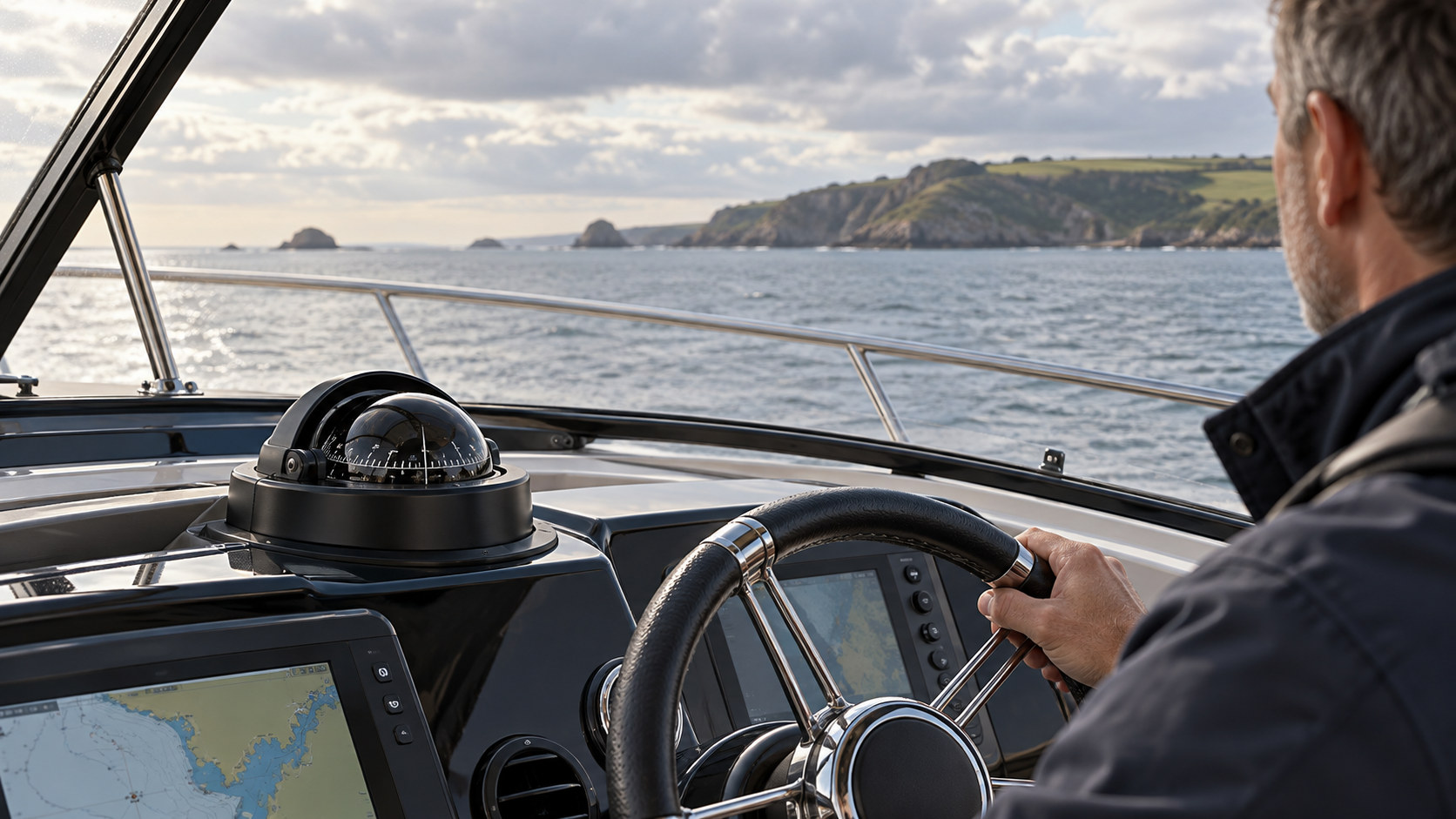
Independent training with fictional numbers. These diagrams are not a chart, live magnetic model or steering instruction for a passage. Use current chart information, your boat’s checked deviation data and independent position checks for real navigation.
Primary references and artwork
Original schematic SVG diagrams and original questions. Course principles checked against the references below. This pathway awards no RYA or MCA qualification.
PROJECT WATCH • RECREATIONAL SEAMANSHIP
Diesel Engine Basics
Understand what keeps your engine running. Learn the checks, maintenance principles and first responses to common faults, one visual step at a time.
0 / 12 LESSONS REVIEWED
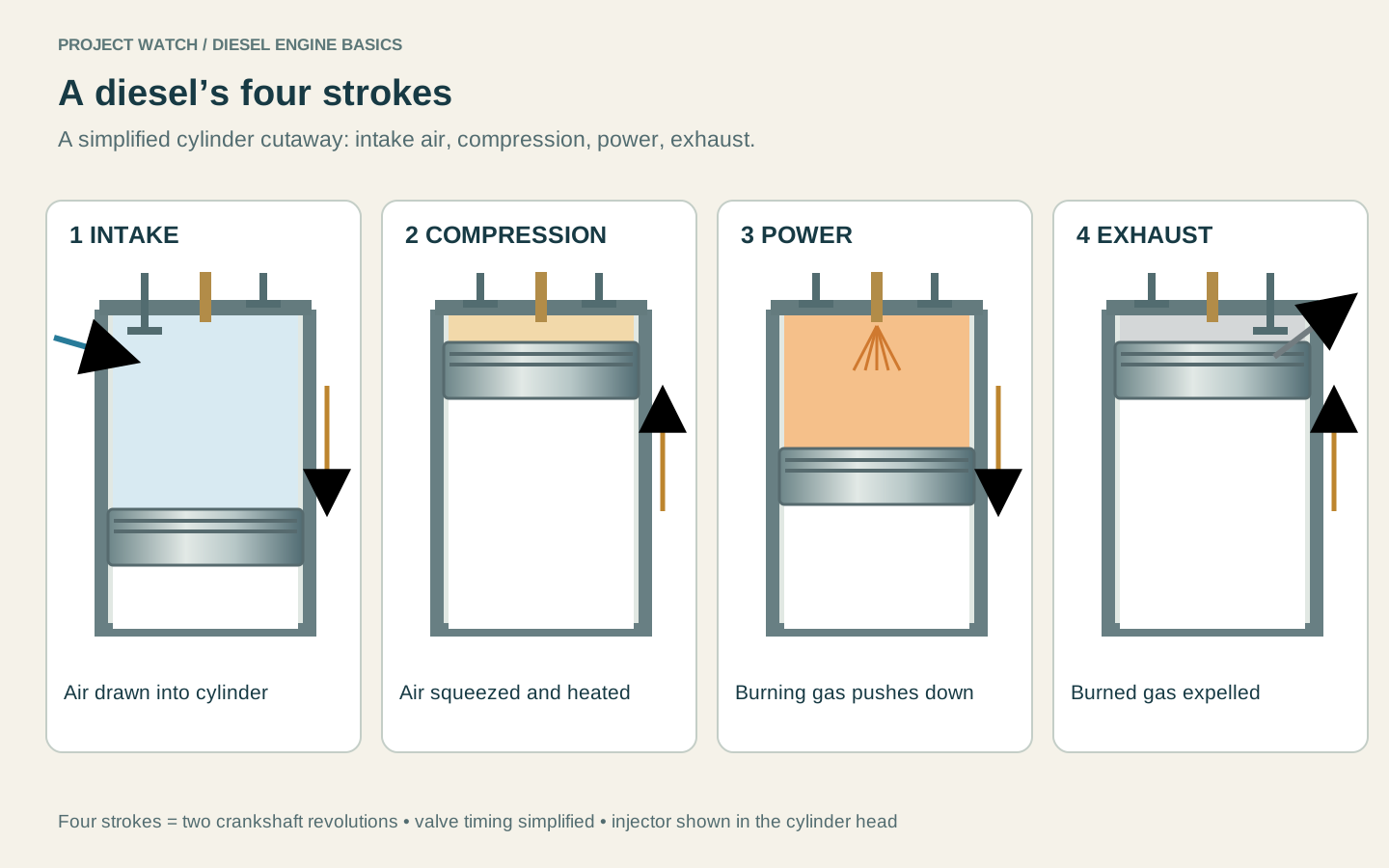
Visual learning for recreational boaters, centred on a small four-stroke inboard diesel. Diagrams teach principles; use your engine and gearbox manuals for their actual layout, fluids, intervals and procedures. Practical servicing competence requires appropriate hands-on instruction.
Teaching references and image credits
Original lessons and principle diagrams checked against manufacturer guidance. No manufacturer endorsement or accredited qualification is implied. Licensed real component photographs carry their own source and reuse credits beside each image.
PROJECT WATCH • RECREATIONAL SEAMANSHIP
Passage Planning & Logbook
Plan a suitable trip, keep your options open and record what actually happens. Start simply, then build a worked passage plan.
0 / 10 LESSONS REVIEWED
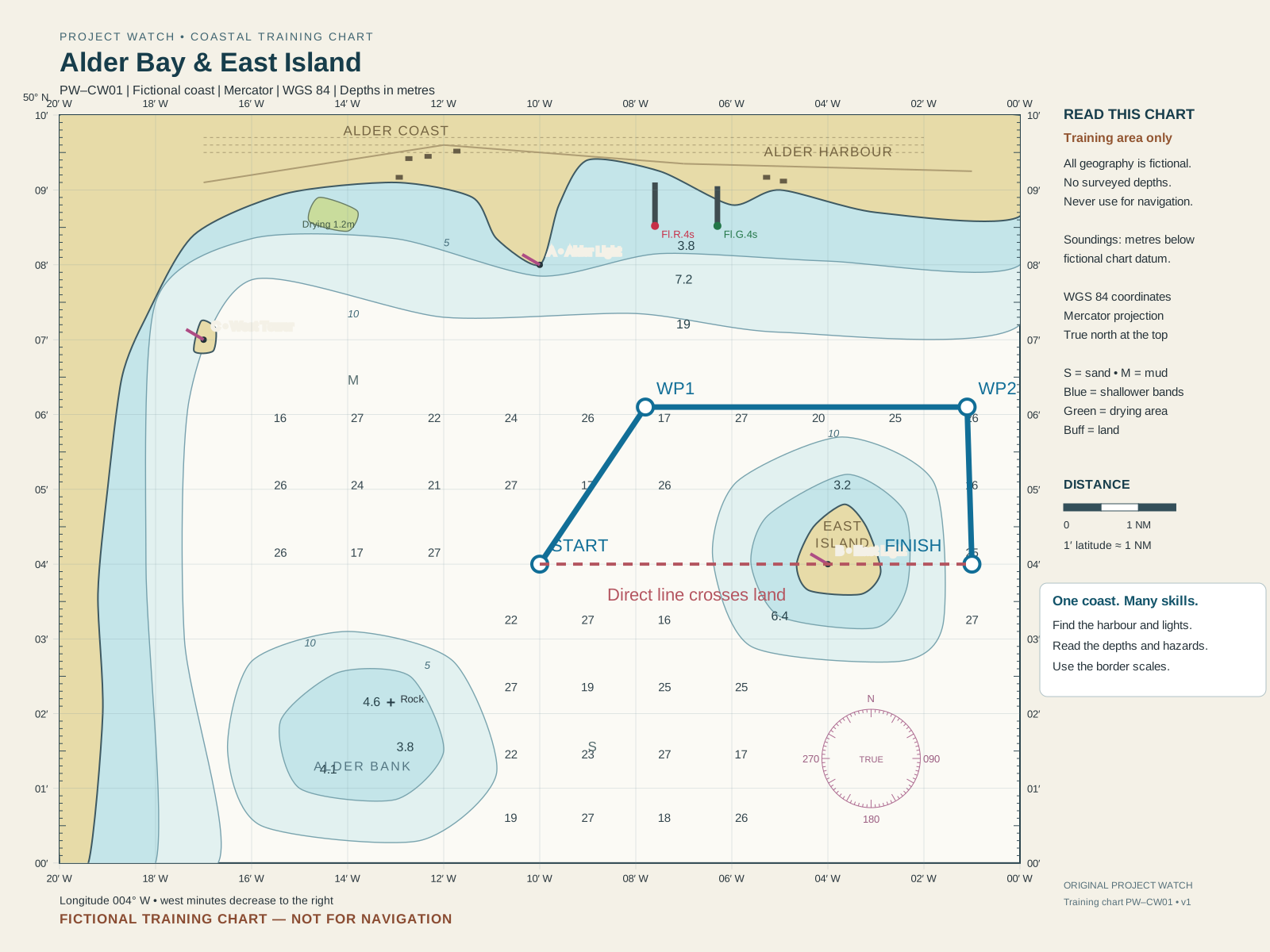
Independent recreational learning. Charts, routes, weather and figures are fictional teaching examples, not navigation advice for a real passage. The planner organises your information; it does not verify that a route is safe.
Teaching references
Original lessons and visuals checked against recreational guidance. No RYA or MCA qualification is awarded. This training log is not a statutory logbook or a certification of qualifying sea time.
PROJECT WATCH • RECREATIONAL NAVIGATION
Chart Work & Position
Start with the chart, then find your place on it. Learn visual fixes, dead reckoning, estimated position and GPS through one coastal training area.
0 / 12 LESSONS REVIEWED
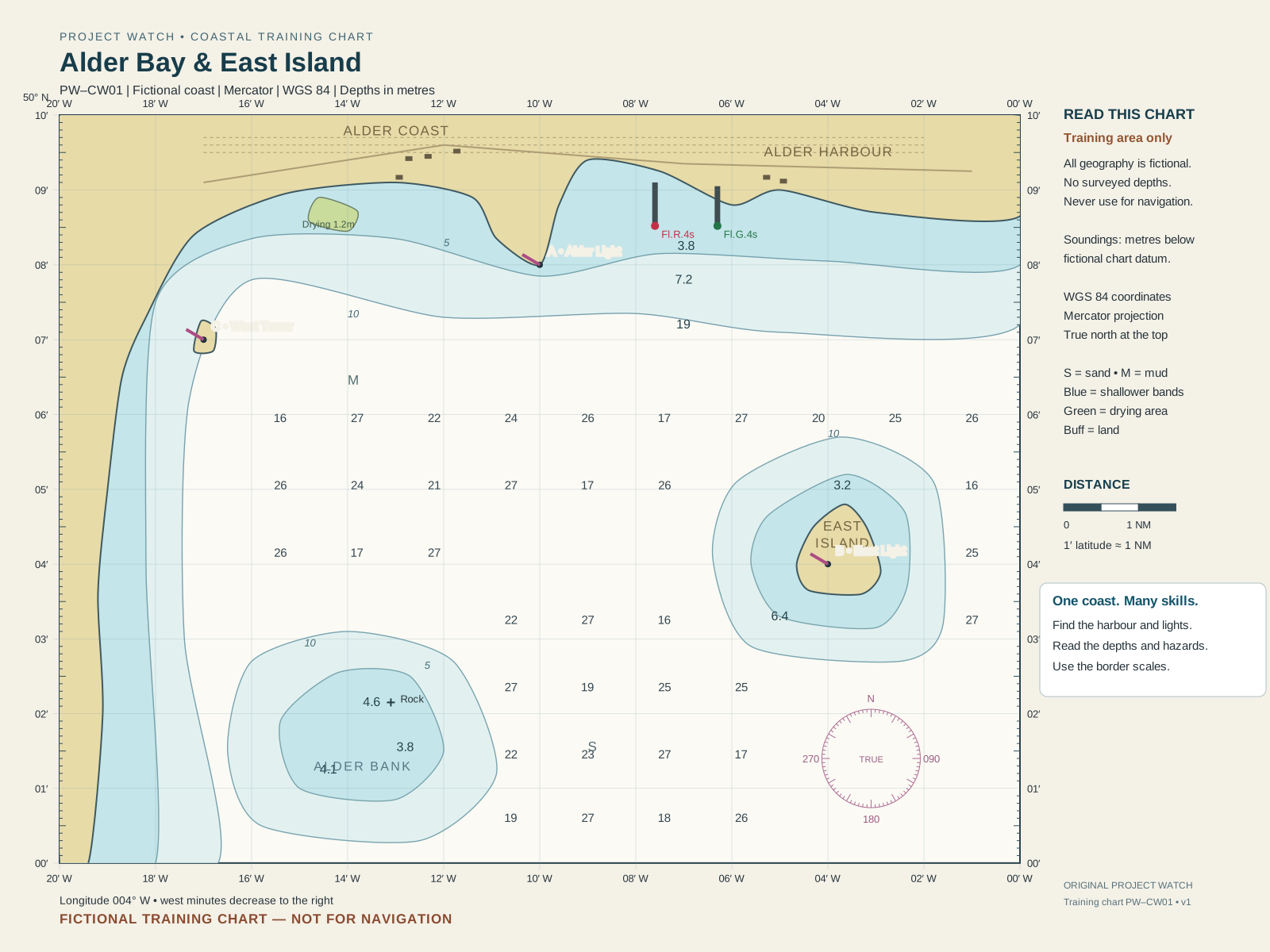
Fictional training charts — not for navigation. Geography, depths and marks are invented; coordinate scales and worked plots are calculated. This independent course awards no RYA or MCA qualification.
Teaching references and chart information
The charts are original Project Watch assets, with an accurately calculated Mercator graticule and fictional coastal detail. They do not reproduce UKHO, RYA or other commercial charts. The lessons and questions are original, checked against the primary references below.
PROJECT WATCH • INLAND WATERWAYS PATHWAY
CEVNI — European Inland Waterways
Learn the core European inland-waterway framework through Project Watch teaching, recognition, sound, practical scenarios and an original mock assessment. This pathway is deliberately separate from the COLREG course.
INDEPENDENT TRAININGCEVNIREV.6 + CURRENT AMENDMENTS
PRIMARY BASISUNECE CEVNI Revision 6
UPDATE LAYERCorrigenda + Amendments 1 & 2
SIGNSCEVNI Annex 7 + SIGNI context
STATUSTraining / mock only
Waterway rules: CEVNI is a harmonised basis for national inland-waterway codes. Before navigating, consult the national, regional and local rules for the waterway concerned.
CEVNI PATHWAY PROGRESS0 / 9 MODULES REVIEWED
COURSE MAP
Nine modules. One inland progression.
The next module unlocks when the previous module is reviewed in Course Mode. The CEVNI training libraries remain open at all times.
FINAL ASSESSMENT
CEVNI Mock Exam
Separate 30-question practice exam • 20 minutes • opens after all nine modules are complete.
LOCKED • COMPLETE MODULES 01–09RECOGNITION LIBRARY • ANNEX 7 / SIGNI FAMILIES
Waterway signs & marking
Verified family index: Annex 7 uses A–E for prohibitory, mandatory, restrictive, recommendatory and informative signs. Annex 8 separately covers buoyage and waterway marking. Individual pictograms are only added after source verification; no placeholder symbol is used as teaching material.
INLAND SOUND SIGNAL TRAINER
Hear the pattern — then identify the meaning.
Training timing uses approximately 1 second for a short blast and 4 seconds for a long blast. Actual carriage/use requirements depend on vessel and local rules.
PRACTICAL APPLICATION • WATERWAY SCENARIO ENGINE
Navigate the situation
Read the waterway, identify the regulatory marks and commit your vessel to the safe route. Start with clean training scenes; later stages can reuse the same engine with verified photographic assets.
ADDITIONAL PRACTICE
Existing inland navigation situations
PROJECT WATCH • ORIGINAL CEVNI MOCK
30 questions • teaching coverage across the pathway
This is an independent Project Watch training assessment, not an official examination.
PROJECT WATCH • BRIDGE LIBRARY 2.0
Training & Reference Library
The permanent Project Watch learning space. Browse by subject, then choose the tool you need: learn the principle, check the reference, practise it, run the simulator or revisit an assessment. Course progress remains separate and nothing in the existing library has been removed.
LIBRARY STATUSPERMANENT ACCESS
EXISTING SUBJECTS7 CORE RESOURCES
COURSE RELATIONSHIPINDEPENDENT OF PROGRESS
ARCHITECTURELIBRARY 2.0
01 • RULES & DECISION MAKING
COLREGs & Collision Avoidance
Understand the rules, then apply them to developing encounters.
02 • RECOGNITION & COMMUNICATION
Lights, Shapes & Signals
Recognise what another vessel is showing or sounding before deciding what it means.
03 • WATERWAY NAVIGATION
Buoyage & Traffic Organisation
Read the marks around you and understand how organised traffic should be used.
04 • ELECTRONIC SITUATIONAL AWARENESS
AIS & Electronic Watchkeeping
Use electronic information to support—not replace—the external traffic picture.
No existing Project Watch library resource matches that search or filter.
Library 2.0 visual architecture: original Project Watch concept artwork is embedded directly into the library cards; this build reorganises the existing Project Watch resources only. No approved teaching content, simulator, assessment or Course Mode stage has been removed or rewritten. Future subjects can be added into this structure without disturbing the eight-stage core.
YOUR TRAINING AT A GLANCE
Your course map
Nine pathways. Choose the skills you want to build, then open a course for its lessons and progress.
Looking for a specific tool?
The Training Library gives you direct access to reference material, simulators and recognition practice.
PROJECT WATCH • STRUCTURED COURSE MODE
Bridge Watchkeeping Foundations
A deliberate learning sequence for recreational skippers: understand the fundamentals first, recognise the traffic picture, practise decisions, then demonstrate competence in the existing Project Watch assessments.
CORE PATHWAY
0%
0 / 8 STAGES COMPLETE
STRUCTURELearning outcomes → teaching → practice → assessment → debrief
OFFICIAL BASISCOLREGs + current MCA small-vessel watchkeeping / electronic-navigation themes
GAP CHECKPublic RYA course-topic coverage used only to identify omissions — no RYA content copied
STATUSIndependent Project Watch training • not MCA/RYA approved or certificated
WHY THIS ORDER?
Build one layer before relying on the next.
The course starts with watchkeeping fundamentals and the collision-rule framework, then teaches vessel recognition, sound signals, collision avoidance, buoyage, TSS and finally AIS/electronic awareness. Experienced users can still use the Training Library in any order.
NEXT
01
FOUNDATION
Orientation & Watchkeeping Fundamentals
Start with the language, vessel profile and watchkeeping mindset used throughout Project Watch.
STAGE 01 • ORIENTATION & WATCHKEEPING FUNDAMENTALS
Learn the bridge language first.
This is a short teaching stage — not a tick-box pass. Start with how Project Watch teaches, then learn the bridge fundamentals across six lessons before the five-question check. The safety acknowledgement does not score marks.
FINAL CHECK • UNLOCKS AFTER LESSON 6
Stage 1 knowledge check
This is the final part of Stage 1, not a second Stage 1. Complete all six Bridge Language lessons first. Then this five-question check unlocks. You need 4/5 to finish Stage 1.
This is a safety acknowledgement only. It does not give you 100% or complete the stage.
PROJECT WATCH COURSE DESIGN PRINCIPLES
The standard we will use for every new module.
01DEFINED OUTCOMESEvery module states what the learner should be able to explain, identify or demonstrate.
02TEACH BEFORE TESTNo assessment item should rely on material that Project Watch has not taught or signposted.
03PRACTICAL APPLICATIONWhere the skill is operational, learners use a simulator or interactive exercise rather than only reading.
04SAFETY-CRITICAL ERRORSDangerous decisions are treated differently from ordinary knowledge errors.
05DEBRIEF & REMEDIATIONIncorrect answers lead back to the relevant lesson, explanation and further practice.
06VERSIONED SOURCESRule-based teaching is traceable to current authoritative material and reviewed when standards change.
NEXT CURRICULUM DEVELOPMENT
Integrated Watchkeeping Capstone
After the core pathway is mature, Project Watch can combine traffic, AIS, lights, buoyage and TSS into one integrated bridge-watch exercise. It is deliberately not counted as a completed capability yet.
STAGE 5 • COLREGS PART B • RULES 5–8 & 11–19
Collision Avoidance & Rules of the Road
Build the encounter picture, decide which Rule applies, identify give-way and stand-on responsibilities, then choose early and substantial avoiding action. Stage 5 uses the same six-lesson → recognition → 10-question final flow as the approved earlier stages.
PROJECT WATCH • MASTER ENCOUNTER STANDARD • LIBRARY 05
Collision Encounter Master Library
The Stage 5 source of truth for encounter classification, responsibilities and first-principles action. Restricted visibility is treated separately under Rule 19.
RULE RECOGNITION
Encounter Practice
Work through the core encounter families before taking the final check.
STAGE 5 • FINAL KNOWLEDGE CHECK
10 questions • pass mark 8/10
Questions cover lookout, risk, avoiding action, overtaking, head-on, crossing, sailing vessels, responsibilities and restricted visibility.
1BRIEFINGSelect encounter
2SIMULATORTake the watch
3DEBRIEFReview outcome
WATCH HANDOVER • COLLISION SCENARIOS
Prepare the encounter.
Choose the vessel status, select a verified COLREG scenario, set the coaching level and then take the watch.
Training vessel • Power-driven vessel
VISIBILITYGood
SEA STATESlight
TRAFFICModerate
START RANGE2.00 NM
STEP 2 • ENCOUNTER
Choose a scenario
Each chart card uses the same verified starting geometry as the simulator. Select an encounter to receive the bridge brief before taking the watch.
COLREG ENCOUNTER ASSUMPTIONSUnless a scenario states otherwise: vessels are in sight of one another, visibility is good, both are underway, and risk of collision is being assessed. Maintain a proper lookout and apply Rules 5, 7 and 8 throughout.
Select an encounter below, then take the watch.
WATCH HANDOVER • BRIDGE READY
Scenario selected • vessel configured • coaching level set
PROJECT WATCH • ASSESSMENT CENTRE
Mock assessment. Original questions. Official-rule basis.
This is an independent Project Watch assessment system. It is not an RYA or MCA examination. Questions and diagrams are original to Project Watch and are checked against the COLREGs and current MCA syllabus/assessment guidance.
PROJECT WATCH STANDARD90% KNOWLEDGE+ NO SAFETY-CRITICAL FAIL
KNOWLEDGE BASISCOLREG Rules 5–8, 12–19 + collision assessment
MCA ALIGNMENTWritten • oral • practical / simulation
QUESTION OWNERSHIPOriginal Project Watch content
STATUSTraining / mock assessment only
20RANDOM QUESTIONSBalanced across the collision syllabus. A fresh set is drawn from the larger Project Watch bank each run.
90%PROJECT WATCH PASSProject Watch uses a 90% COLREG benchmark, matching the current MCA Part A minimum for the International Collision Regulations topic. This remains an independent Project Watch mock, not an MCA examination.
!CRITICAL-FAIL LOGICAn unsafe answer to a designated safety-critical item prevents a pass.
Collision Knowledge MockPress START to generate an original balanced examination from the Project Watch question bank.
STRUCTURED ORAL BOARD
Explain what you would do — and why.
Eight randomly selected oral-style collision situations. A fresh set is drawn from the oral question bank each run. Choose the response that best matches the complete answer. Full model reasoning is withheld until the end.
Captain's OralThis uses original Project Watch scenarios based on the MCA collision-avoidance syllabus.
NO COACHING • REAL SIMULATOR
Practical collision assessment
Select an encounter. Project Watch switches the existing simulator to EXAM mode. No tutorial coaching is provided; the normal simulator debrief records the outcome, action timing, closest approach and manoeuvre-quality flags.
Assessment rule: A collision or clearly dangerous outcome is safety-critical. Project Watch simulator scores are training metrics, not legal determinations or MCA certification.
Assessment basis: International Regulations for Preventing Collisions at Sea (COLREGs), current MCA Master (Code vessels <200 GT) / OOW (Yachts <500 GT) oral syllabus, current MCA Small Ships Navigation and Radar assessment criteria, and current MCA examination structure. Project Watch questions are independently written and do not reproduce RYA or MCA examination questions.
STAGE 02 • COLREG FOUNDATIONS
Learn the COLREG framework first.
Stage 2 follows the same pattern as Stage 1: six teaching lessons first, then one final knowledge check. You are never expected to answer something before Project Watch has taught it.
STAGE 2 PROGRESS0 / 6 LESSONS
LESSON 01
FINAL CHECK • UNLOCKS AFTER LESSON 6
Stage 2 knowledge check
This is the final part of Stage 2, not another lesson. Complete all six teaching lessons first. Then answer 10 questions based only on what you have just learned. You need 8/10 to complete Stage 2.
BEGINNER COURSE • COLLISION AVOIDANCE
Start from zero.
No previous boating knowledge is assumed. Work through the lessons in order, then use the real simulator with coaching switched on.
COURSE9 LESSONSBeginner → First Watch
COURSE PROGRESS0 / 9 COMPLETE
LESSON 01
Meet your bridge display
Learn what you are looking at before you touch any controls.
What you will learn
IALA REGION A • UK TRAINING • VISUAL SET
Buoyage & Marks
Tap any mark for its meaning, topmark and standard light information. The diagrams use clean vector artwork so the colour bands and topmarks stay consistent with the training data.
Night mode keeps the same cards but dims the mark and animates the prescribed light colour/rhythm. Lateral marks use a representative 4 s flash for training unless a specific charted characteristic is stated.
RECOGNITION CHALLENGE
Identify the mark
PROJECT WATCH • IALA REGION A • FULL MOCK
Buoyage & Marks Examination
This full assessment covers every mark taught by Project Watch: identification by day, light/rhythm by night, meaning and the correct passage decision. Questions are original to Project Watch and use the same buoy data and vector artwork as the training module.
FULL MOCK36 QUESTIONS12 MARKS • 3 QUESTIONS EACH
REGIONIALA Region A
COVERAGELateral • preferred channel • cardinal • isolated danger • safe water • special • emergency wreck
STANDARDProject Watch mock • 90% pass • no critical passage error
STATUSIndependent training assessment • not an RYA/MCA certificate
Full Buoyage Mock
Every one of the 12 Project Watch marks is examined three ways: identify it, recognise its light or daytime appearance, and make the correct navigation/passage decision.
Assessment basis: The exact IALA Region A buoyage set already taught in Project Watch. The exam uses the same BUOY_DATA and BUOY_TRAINING information as the tutorial so the learning material and assessment remain consistent.
BEGINNER COURSE • IALA REGION A
Learn every mark one at a time.
Start with the daytime appearance, then learn the light, what the mark means and—where the buoyage system actually specifies one—the side on which to pass.
TRAINING SET12 MARKSDAY • NIGHT • PASSAGE
MARK 1 / 12
BODY / TOPMARK
LIGHT
FLASH / RHYTHM
HOW TO PASS
WHY IT MATTERS
GUIDED PASSAGE • IALA REGION A
The Buoy Lane
Take the wooden training vessel through every mark. Guided mode explains each decision before you make it.
PROGRESS1 / 12GUIDED
YOU
MARK
MARK
LIGHT
SAFE / RECOMMENDED PASS
←
WIND FROM STARBOARD
OWN VESSEL • STARBOARD TACK
OWN VESSEL • POWER-DRIVEN
Navigation data
Heading
Speed
Range
Target sector
CPA
TCPA
Helm instruments
RUDDER ANGLE
P350S35
0°
RATE OF TURN
P0S
0.0°/min
Helm
P35P20P100S10S20S35
ORDERED RUDDERMIDSHIPS
Drag or tap the scale for an exact rudder order. The instrument above shows the actual rudder response.
Engine
Commanded speed: 7.0 kn
Sailing propulsion
Machinery OFF. Training speed is set by the selected sailing scenario. Helm control remains available. Wind/tack data is scenario-defined for Rule 12 exercises.
PROPULSIONSAIL
MACHINERYOFF
Watch log
POST-WATCH DEBRIEF
What happened?
PROVISIONAL TRAINING SCORE
— / 5
1. Mathematical reconstruction
Initial predicted CPA
Initial TCPA
Actual closest approach
First manoeuvre
2. COLREGS layer
Rule 5Rule 7Rule 8Rule 11Rule 15Rule 16Rule 17
Scenario facts established before the exercise
Two power-driven vessels, in sight of one another, on unaltered crossing tracks that intersect. At handover the target is on Watch One's starboard side.
Rule 15 — crossing situation
In this constructed encounter, Watch One is the vessel that has the other power-driven vessel on her starboard side and is therefore the vessel required to keep out of the way. Where circumstances admit, she should avoid crossing ahead.
Rule 16 — give-way vessel
The give-way vessel must take early and substantial action to keep well clear.
Rule 8 — avoiding action
Avoiding action must be assessed in the circumstances of the encounter; Project Watch does not treat one fixed helm order or one universal CPA as automatically correct.
Source baseline: IMO Collision Regulations Convention (COLREGS), current 2026 publication/overview. This prototype uses rule summaries, not a substitute for the official publication.
3. Your watch
The 1–5 score is a provisional simulator training score, not a legal finding or professional COLREGS certification. In this build, all simulator warnings are intentionally inhibited outside 0.50 NM. It uses collision outcome, closest approach, timing and manoeuvre-quality flags. The thresholds are training parameters, not statutory COLREG limits, and remain subject to maritime review.